Photometric Analysis
The photometric analysis engine computes per-pixel light measurements across every projection surface in your scene. All calculations run on the GPU in real time, so you can adjust projector positions and lens settings and see the impact immediately.
Enabling analysis
Click the Analysis button in the toolbar (or press A). A colour-coded heatmap overlays every surface that is within a projector's frustum.
Metrics
Illuminance (lux)
The total light energy per square metre arriving at each pixel of the projection surface. Calculated from the projector's brightness (lumens), throw distance, angle of incidence, and screen gain.
Higher values (warmer colours on the heatmap) indicate brighter areas. The heatmap range is shown in the legend and auto-scales to your scene.
Pixel density (px/m²)
The number of projected pixels landing on each square metre of the surface. Determines the effective resolution at that point. Useful for validating that fine detail will be legible at a given throw distance.
Angular resolution (px/°)
The number of pixels per degree of visual angle from a specified viewing position. Relevant for immersive installations where angular resolution determines perceptual sharpness.
Uniformity ratio
The ratio of minimum to maximum illuminance across the entire surface. A ratio of 1.0 is perfectly uniform; lower values indicate hot spots or dark edges.
uniformity = min illuminance ÷ max illuminance
Overlap analysis
In multi-projector setups, the engine accumulates illuminance from all projectors. Overlap areas are shown in a distinct colour. You can toggle the Overlap layer separately to see exactly where blending is occurring.
Reading the heatmap
The colour scale runs from black (low) through red and yellow to white (high). Hover any point on the surface to see the exact numerical values in the status bar.
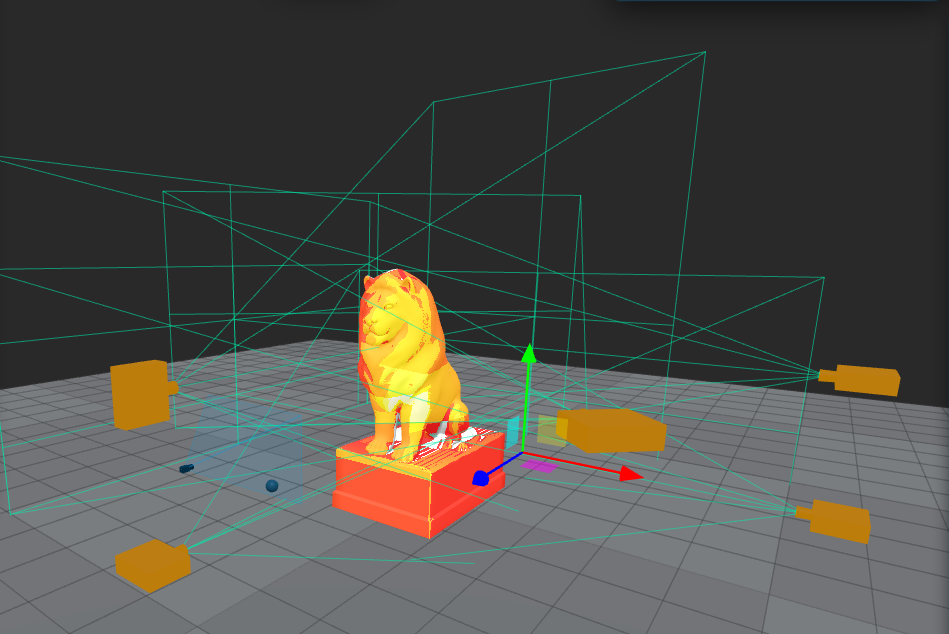
Analysis at a specific point
Click directly on any surface in analysis mode to pin a measurement readout showing:
- Illuminance (lux)
- Pixel density (px/m²)
- Angular resolution
- Contributing projectors and their individual contributions
Performance note
The analysis runs continuously on the GPU. On complex scenes with 50+ projectors, a dedicated GPU is recommended. See Requirements.